How to Print Cruise Luggage Tags: A Complete Guide
Whether you’re a cruise first-timer or a seasoned voyager, knowing how to print cruise luggage tags at home is a must-have skill. These essential tags identify your bags and help staff deliver luggage safely to your cabin. The best part? You don’t have to wait for cruise lines to mail your tags—you can print cruise luggage tags at home quickly, saving time and money. This thorough guide will help you confidently print the perfect cruise luggage tags, avoiding common pitfalls and using simple tools many people already have at home.
Why Print Cruise Luggage Tags at Home?
Printing cruise luggage tags yourself gives you more control over your travel. There’s no worrying about lost tags, shipping delays, or errors printing at the port. Home printing allows you to check details and make unlimited copies. You can also use specialty paper or protective holders to ensure your tags survive bustling ports, rain, or rough handling. In short, printing luggage tags at home saves hassle and enhances peace of mind.
Understanding Different Cruise Lines’ Luggage Tag Formats
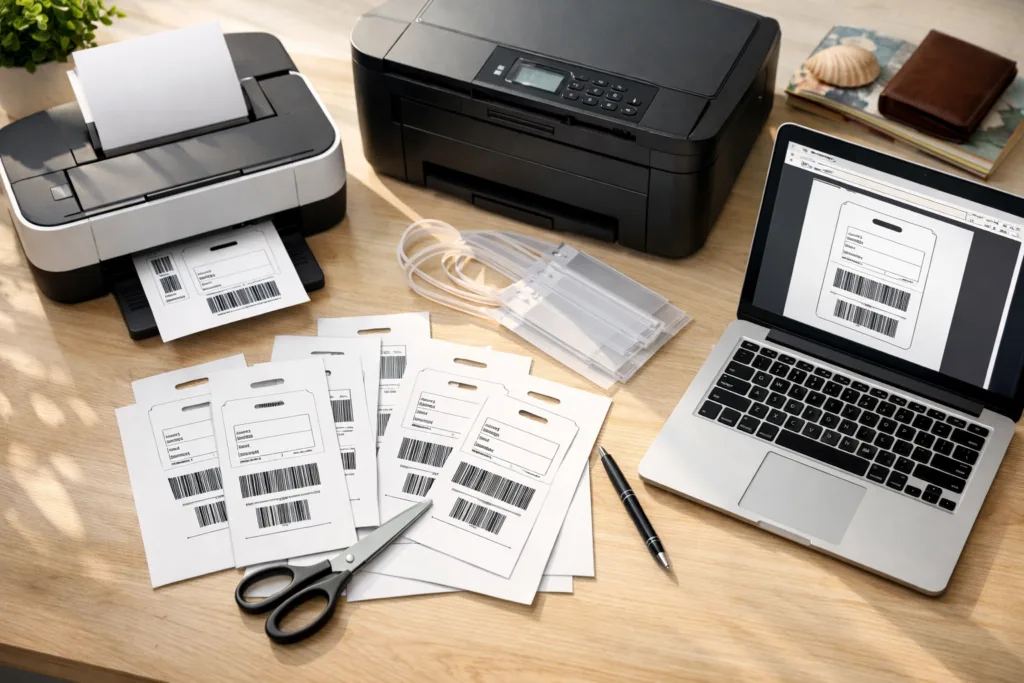
Every cruise line takes a slightly different approach to their printed luggage tags. Carnival, Royal Caribbean, Norwegian, MSC, Celebrity, and Princess Cruises each offer unique tag formats. Most allow you to download tags as PDFs directly from your reservation or check-in page. While the look and size may differ, the process for printing cruise luggage tags at home is fundamentally similar.
- Carnival and Norwegian supply tags typically sized 8.5 x 2.5 inches—easy to print on standard letter paper.
- Royal Caribbean and Celebrity use slightly longer tags or square designs, sometimes with bold color coding.
- MSC and Princess might give you color instructions or require black-and-white printing, but always in a printable PDF.
Before starting the printing process, make sure you check your cruise line’s instructions. Download the tags using the official guest portal to ensure accuracy. This is critical because an error in your cabin number or barcode can misdirect your bag. Double-check for printing directions on the PDF or cruise paperwork before proceeding.
Printer Setup: Choosing the Right Printer for Cruise Luggage Tags
Your home printer matters when printing cruise luggage tags. Inkjet and laser printers both work for this application. Inkjet printers are the most common in homes and yield vibrant colors. Laser printers use toner, producing crisp text and excellent barcode legibility, which is essential for bag scanning at busy terminals.
- Inkjet Printers: Great for color and basic paper. Allow ink to dry before handling.
- Laser Printers: Great for barcodes, results in sharp output, but warm prints may curl standard paper.
If you don’t own a printer, try your local print shop or library. Bring the downloaded PDF on a USB stick or email it directly. Avoid photos or screenshots—printing from the PDF preserves the correct scale and sharpness.
Paper Choices for Home-Printed Cruise Luggage Tags
Choosing the right paper is essential for strength and water resistance. Use white, letter-sized 8.5”x11” paper as most cruise tags are designed for this size. If available, use heavier stock (like 32 lb. paper, or 120 gsm), which holds up better in transport compared to regular 20 lb. copy paper.
| Paper Type | Durability | Availability |
|---|---|---|
| Standard (20 lb.) | Good for home print, needs reinforcement | Universal |
| Premium (32 lb.) | Stiffer, less prone to tearing | Office stores |
| Photo paper | Highly durable but may smear ink | Specialty |
| Water-resistant/laminating sheets | Waterproof and ideal for longer trips | Optional, purchased separately |
For extra protection, insert printed cruise luggage tags into plastic holders. These are available online and are designed to fit cruise tags. Otherwise, covering the printed tags with clear packing tape or self-laminating sheets adds water resistance and rigidity.
Printer Settings: Optimal Printing Setup for Cruise Luggage Tags
To get the best results, check your printer settings before printing. Set your printer to ‘Best’ or ‘High’ quality to ensure clear printing, particularly for barcode sections. In the printer dialog box (the menu when you select ‘print’), choose these options:
- Paper Type: Match your actual paper (Plain, Heavy, etc.).
- Color/Black & White: Some cruise lines color-code tags, so print in color if required.
- Scaling: Set to 100% or “Actual Size”—avoid “Fit to Page” which can resize the tag and impact barcode size.
- Orientation: Tags may print best in Portrait or Landscape—preview before final printing.
Before printing all copies, print one test page. Check if all sections are visible, no text is cut off, and the barcode is crisp. This prevents wasting paper and ensures your tag will be scan-able by port staff’s equipment.
Trimming and Folding: Prepping Cruise Luggage Tags After Printing
Once your cruise luggage tags are printed, cutting or folding is usually required. Most printable tags have fold lines, clear outlines, and simple instructions. Follow these steps:
- Use sharp scissors or a straight-edge paper trimmer for clean lines.
- Fold along dotted or solid lines as indicated to double or triple the tag for added strength.
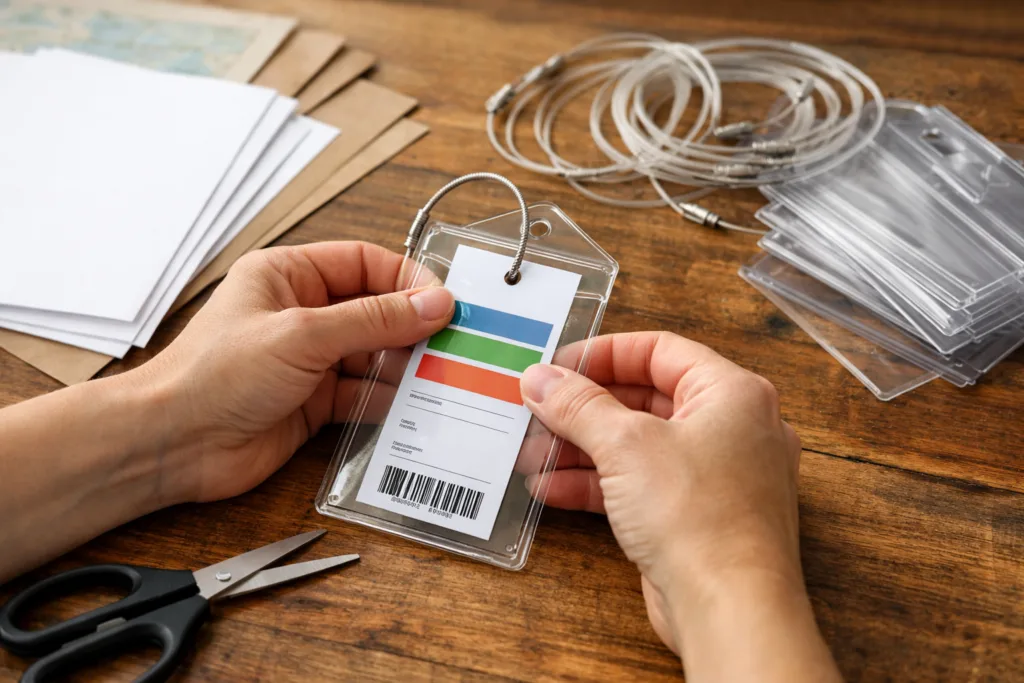
- If your cruise calls for them, insert inside plastic, zip-sealed luggage tag holders. Attach with metal loops or zip ties—never rely on tape or string alone as these can fail.
- Secure the final tag to your suitcase handle in a visible spot.
It’s wise to print and complete extra tags as backup. If one is lost or torn in transit, you’ll have a hassle-free replacement ready to use at the port.
Zoom/Sizing: Preventing Tag Shrink or Oversize
One common printing mishap is scaling. If you use the ‘Fit to Page’ printer setting, your cruise luggage tag might print too small or too large. For barcodes to scan, the tag must stay true to the original size. In your print dialog, always select “Actual Size,” “100%,” or disable any automatic zoom/scaling features.
On some PDFs, ‘Shrink oversized pages’ or ‘Fit’ is default—change it to ‘None’ or ‘Custom 100%.’ Preview the print before confirming. If in doubt, measure with a ruler: most cruise lines intend tags to be at least 6-8 inches long. Cropping or scaling changes can make barcodes unreadable, delaying your bag’s delivery.
Troubleshooting Printing Errors for Cruise Luggage Tags
Occasional printer issues can occur, especially with detailed barcodes or unusual paper. Here’s a table of common errors and what you can do about them:
| Error | Possible Cause | Solution |
|---|---|---|
| Blurry printout | Low ink/toner, wrong paper | Replace ink, use original PDF, select High Quality |
| Cropped tag | Page scaling ‘Fit to Page’ | Choose Actual Size/100%, check PDF layout |
| Color missing | Printer set to B&W | Switch to Color, check cruise line guidance |
| Barcode not printing | Faulty PDF, image error | Download PDF again, print from different device |
| Extra large/small tag | Zoom settings wrong | Set scaling to None/100% |
If you can’t solve a persistent error at home, print the tags at work, school, or a print shop. Always test with a single sheet!
Using Specialty Supplies for Professional Results
If you want cruise luggage tags that look professional and won’t tear en route, consider investing in luggage tag holders. These are reusable clear plastic sleeves with pre-made slots for zipties or metal loops. Slip your printed tags inside for weatherproof durability. Many online stores sell ‘cruise luggage tag holders’ sized specifically for each major cruise line (Carnival, Norwegian, Royal Caribbean, etc.).
- Self-sealing lamination sheets are an easy DIY option if you don’t want separate holders.
- Avoid regular laminating machines if the process uses heat—it may distort toner/ink or melt plastic.
- Strong rubber bands or zip ties work better than tape or string for attaching tags to handles.
These small investments protect your tag and make identifying your bag a breeze at the port.
Cruise Luggage Tag Printing: A Manufacturer’s Perspective (UC Tag)
From a manufacturer’s point of view, the process behind printing cruise luggage tags is about balancing print quality, material strength, and design clarity to ensure smooth travel for passengers and handlers alike. At UC Tag, we manufacture custom metal tags for diverse applications and see firsthand how important it is for information to stay visible and intact from point A to point B.
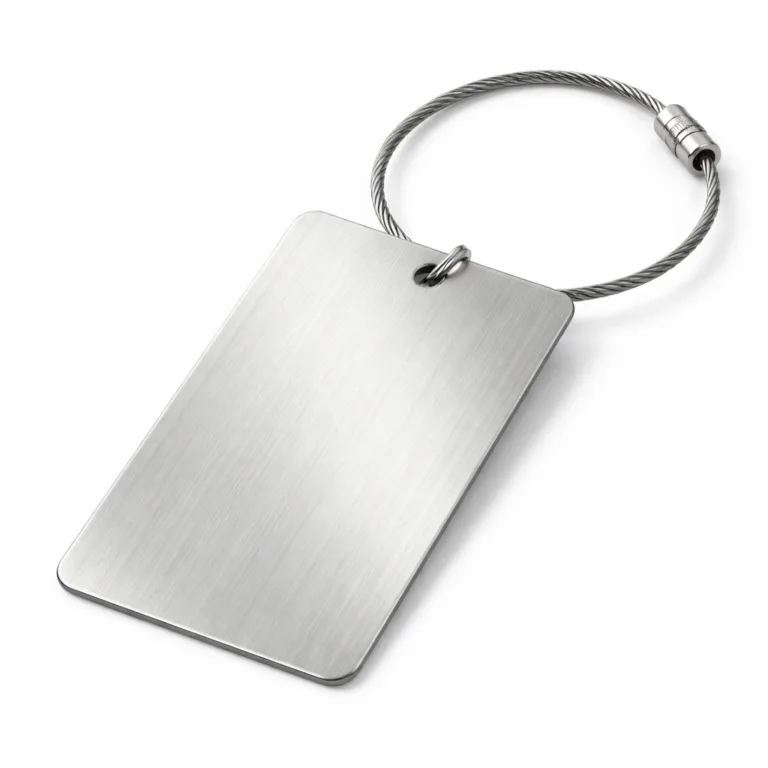
If your fleet or travel agency needs bulk cruise luggage tags—or custom, weatherproof alternatives like engraved metal labels or barcode nameplates—metal tags provide unbeatable durability and clear identification, even in extreme conditions. Metal tags can be laser-etched or printed with unique information and withstand heavy use, water, and abrasion in busy travel environments where paper or plastic can fail.
For individuals, using home-printed cruise luggage tags with robust holders or self-laminating sleeves works well for occasional use. For regular travelers, conference organizers, or cruise lines seeking branding plus security, custom metal or hybrid tags are increasingly popular.
Ensuring your travel identification system is reliable, whether paper printout or permanent metal tag, means thinking ahead—about materials, attachment method, and readability by both people and machines. Are you searching for a custom metal tag manufacturer for high-durability cruise tags or labeling projects?
How to Print Cruise Luggage Tags Efficiently and Securely
Efficiency is essential when preparing many luggage tags at once, such as for family groups, group cruises, or travel coordinators. Download all tags in advance, confirm each name and cabin, then print in batches. Use a checklist to avoid missed bags and match names to room numbers.
- Print one test tag first, adjusting any settings as needed.
- Cut and assemble all tags at once, setting up a system for attaching to bags (scissors, zip ties, holders).
- Organize tags by traveler in a folder or envelope for handout.
- Bring at least one spare tag per traveler for quick replacement.
If you encounter troubles (printing off-center, poor color, or unreadable barcodes), check printer alignment and use recommended software (such as Adobe Reader for PDFs). Avoid using web browsers to print—sometimes they distort page size.
Creative Ways to Personalize Your Cruise Luggage Tags
While cruise luggage tags are about identification, there’s creative room for personal flair:
- Use colored paper (if cruise line allows) to spot your bag from far away.
- Add stickers, small drawings, or initials—just don’t block key text or barcodes.
- Add contact details on the reverse (never your full address, but email or phone can help lost items find their owner quicker).
- Slip an emergency contact card behind the tag in the holder as a backup method.
Some families use themed clip art or colored tape to mark bags, making collection on the pier easy and fun while remaining secure.
Keeping Your Tags Intact Onboard and In Transit
Even a well-printed cruise luggage tag is only useful if it survives to your stateroom door. Invest in a tough tag holder, and always double-check that it is attached securely. Avoid attaching tags at the last minute in chaotic port traffic—do it at home or in your hotel room before heading to embarkation.
- Once tagged, keep your baggage in sight until checked at the pier.
- If tags are lost or damaged, many cruise terminals have blank replacements available, but you’ll wait in line and fill these out by hand.
- For air travel pre-cruise, use airline baggage tags as backup and tuck printed cruise tags inside your bag as an extra safety measure.
Expert Tips for First-Time Cruisers Printing Luggage Tags
When first learning how to print cruise luggage tags, mistakes can be frustrating—but they’re easy to avoid with these pro tips:
- Always download tags from your official cruise line portal to ensure accuracy.
- Never shrink, crop, or let your printer change the page size—barcodes must remain 100% scale for scanning equipment.
- Use clear holders or high-quality thicker paper for extra durability.
- Confirm your suite or stateroom number, name spelling, and sailing date each time you print.
- Prepare backup tags in your carry-on or keep a PDF copy in your email or on your phone for emergency printing at your destination.
Protecting Privacy and Personal Information on Cruise Luggage Tags
Luggage tags feature your name, cruise line, ship, and stateroom number for easy sorting. Avoid including your home address—there’s no need for this and it can risk your privacy. Only port handlers and cabin staff need the voyage info, which is already pre-printed on downloaded tags. For extra caution, keep cruise tags inside secondary holders until just before check-in, or attach at the hotel before transfer to the port.
Alternative Tag Materials: When to Consider Metal, Plastic, or Laminated Labels
Frequent cruisers or those traveling with business equipment might consider custom alternatives:
- Laminated luggage tags (home or printstore creations) boost durability and keep info crisp.
- Many travelers order metal tags or nameplates with barcodes, contact numbers, or even QR codes for elite protection.
- Plastic tags, similar to hotel keycards, are reusable and can tuck inside cruise-provided holders or be custom ordered for loyalty programs.
Companies like UC Tag manufacture these in bulk, but even for home use, laminating your paper tag works wonders on a budget.
Packing Smart: Storage, Transportation, and Tag Placement
Packing your cruise luggage with tags means planning ahead:
- Pack assembled tags in your carry-on if you’ll be tagging bags after a flight.
- For long port transfers, keep a spare tape or zip tie kit in your personal bag—tags sometimes break or come off.
- Tag bags prior to hotel or transfer pickup, so they’re identifiable by porters and hotel staff throughout your trip.
What Happens if I Forget or Lose Cruise Luggage Tags?
Don’t panic! Most cruise lines have blank tags at the terminal help desk. Allow extra time for check-in, as you’ll need to fill these out by hand. Having digital or PDF copies on your phone makes printing replacements at hotels or internet cafes easy, so always save a backup file before you leave home!
Printing Cruise Luggage Tags: Best Practices and Do’s/Don’ts
| Do | Don’t |
|---|---|
| Download official PDFs Print at 100% scale Use holders/lamination Double-check names & cabins Bring backups |
Use photos/screenshots Shrink or crop tags Print blurry barcodes Attach with weak tape Include home address |
Save Time: Batch Printing Luggage Tags for Families and Groups
Coordinating a cruise for a large family or group? Download all tags into a single folder for easy batch printing. Label each PDF file by traveler and cabin. Print in color if your line requires it and keep each set in a separate envelope marked by name. Batch assembly reduces pack-out stress and ensures no one arrives at the pier without a tag.
Cruise Luggage Tags on Embarkation Day: Step-by-Step Checklist
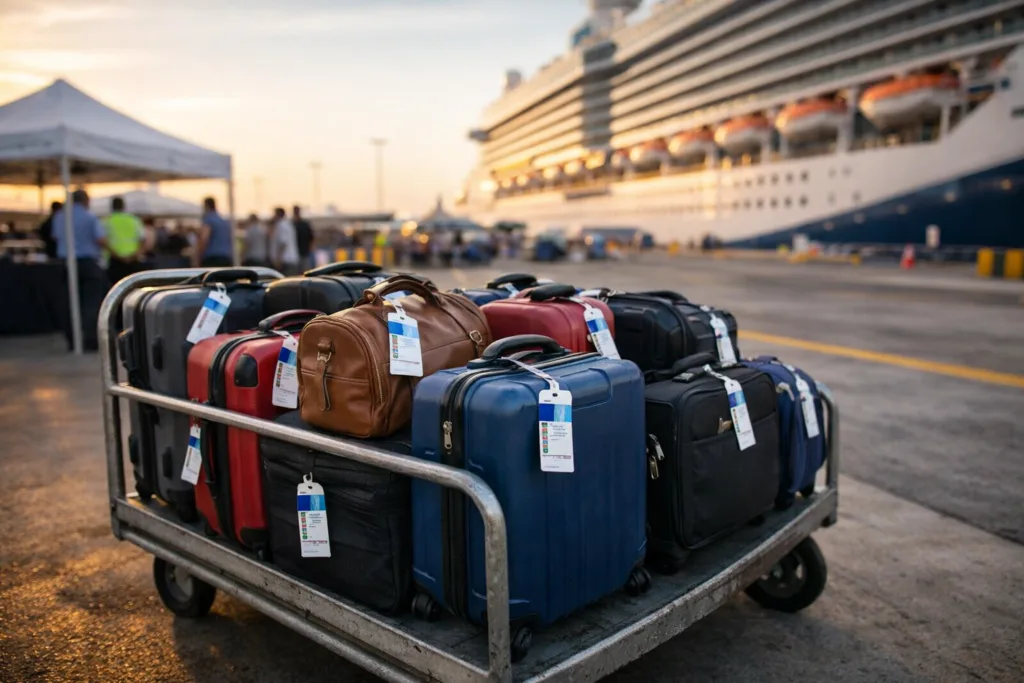
- Check you have one tag per checked bag, per traveler.
- Attach tags to bags at home/hotel before arriving at the cruise terminal.
- Have extra printed tags and a zip tie kit in your carry-on.
- Keep a digital backup on your phone or email.
- Verify no crucial info is covered or missing from printed tags.
Relax knowing you’ve set yourself up for smooth embarkation!
Frequently Asked Questions: How to Print Cruise Luggage Tags
- Can I print cruise luggage tags in black and white?
Yes. Most cruise lines accept black and white prints, but if your tag is color-coded for boarding groups, ask your cruise line for color recommendations. - What should I do if I don’t have a printer?
You can print at an office supply store, library, or print shop by bringing your downloaded PDF on a USB flash drive or via email. - Can I use regular copy paper for cruise luggage tags?
Yes, but it’s better to reinforce it with lamination or plastic holders as regular paper tears easily when wet or handled roughly. - How do I keep the tag on my suitcase securely?
Use a luggage tag holder with a sturdy zip tie or loop. Avoid weak tape or string. - Does the barcode on cruise luggage tags need to be perfectly clear?
Absolutely. Barcodes must be unaltered, not wrinkled or blurred, so port staff scanners can read them. - What if my tag prints too small/large?
Review the print settings and choose “Actual Size” or “100%” before printing so the barcode scans correctly.
Conclusion
Learning how to print cruise luggage tags at home sets you up for a smooth and enjoyable cruise embarkation. By downloading your tags from the official cruise portal, printing them at 100% scale, choosing durable paper, and using secure holders, you save time and stress on embarkation day. From troubleshooting common errors to exploring creative and long-lasting options like metal tags from UC Tag, this step-by-step approach ensures your luggage always arrives safely at your cruise cabin. Enjoy your voyage, packed and ready to cruise with confidence!